On-Page SEO for Shopify Product Pages
On-Page SEO is the is the process of optimizing various components of your website to rank in search engines.
What is On-Page SEO
There are 10 components that pages need to monitor:
- Content
- Headers
- Titles
- Meta description
- Image Alt tags
- Page URLs
- Internal Linking
- SSL/ HTTPS
- Mobile Responsiveness
- Site Speed
Writers note.
The examples in this article will focus on Shopify sites and how to fix them.
If you prefer to have this article broken down to bite-sized chunks, check out our free email course.
Bot & Humans + Metrics
In general, you will be optimising for two different parties: Google’s bots and Human readers.
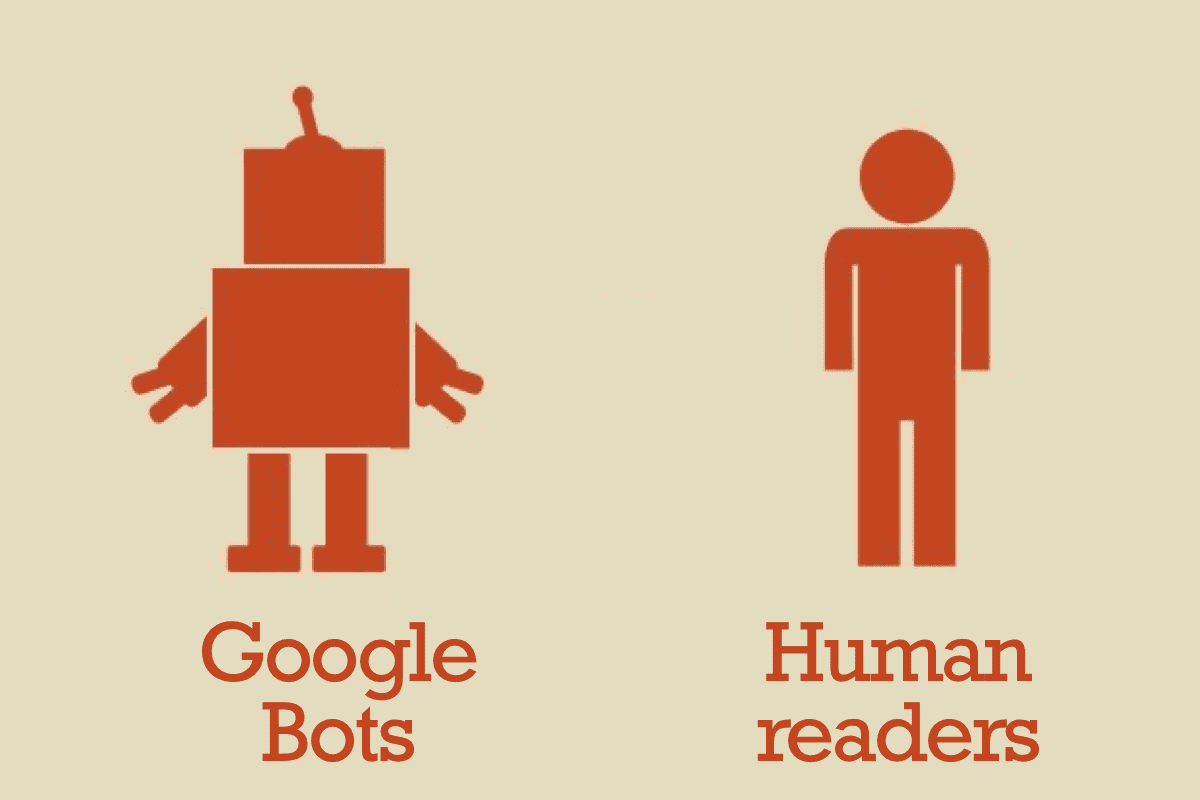
Since human readers aren’t the one ranking your site, Google (or Bing/ Yandex) will have to teach their bots how to interpret human actions. This will be done through click-through rates (CTR) and bounce rates.
That means, you will be working towards improving your
- Crawlability
- Click-through rates
- Bounce Rates.
Let’s get started.
The On-Page SEO Components
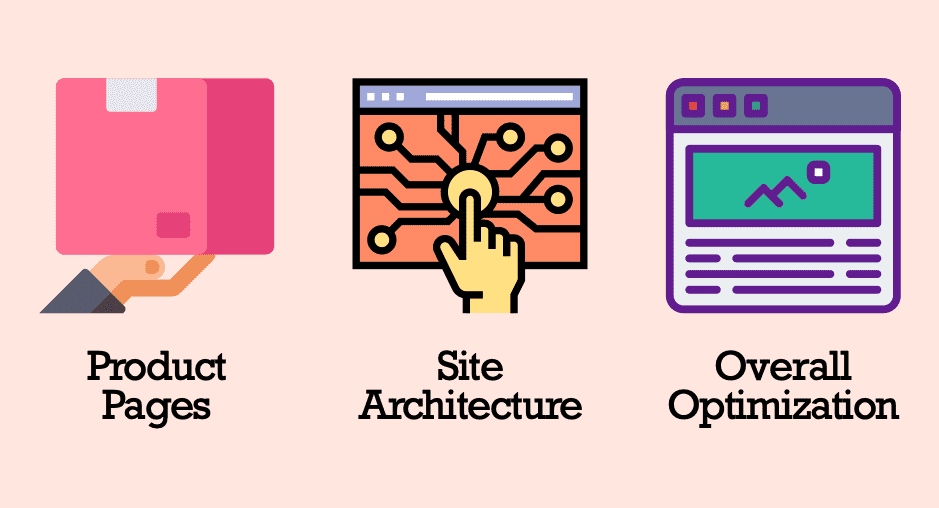
For E-commerce sites (specifically product pages), the important components can be grouped together into three major buckets
-
Product Pages
- Content
- Headers
- Titles
- Meta description
- Image Alt tags
-
Site Architecture
- Page URLs
- Internal Linking
-
Overall Site Optimisation
- SSL/ HTTPS
- Mobile Responsiveness
- Site Speed
Product Pages
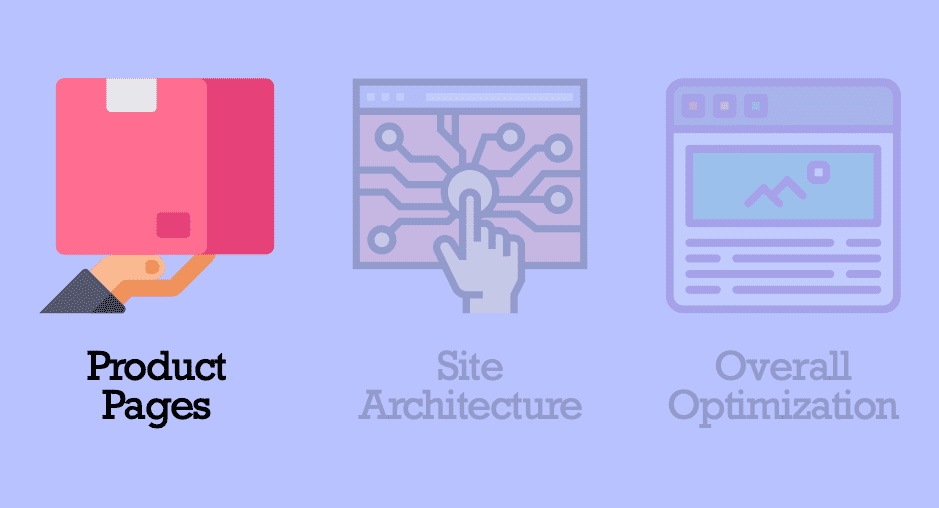
Content
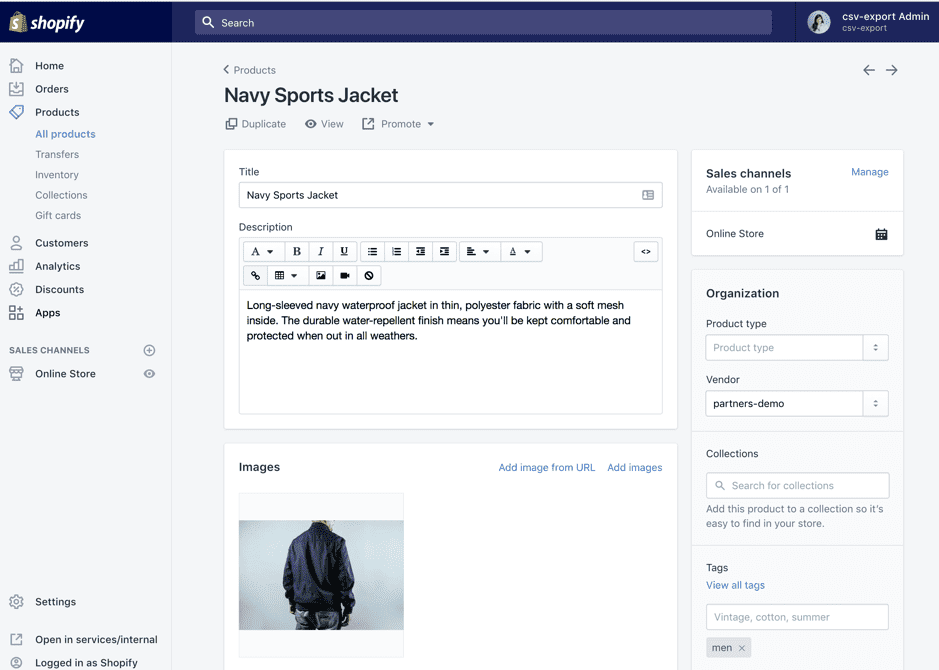
If you are using a Shopify store, this content will also be called the product description.
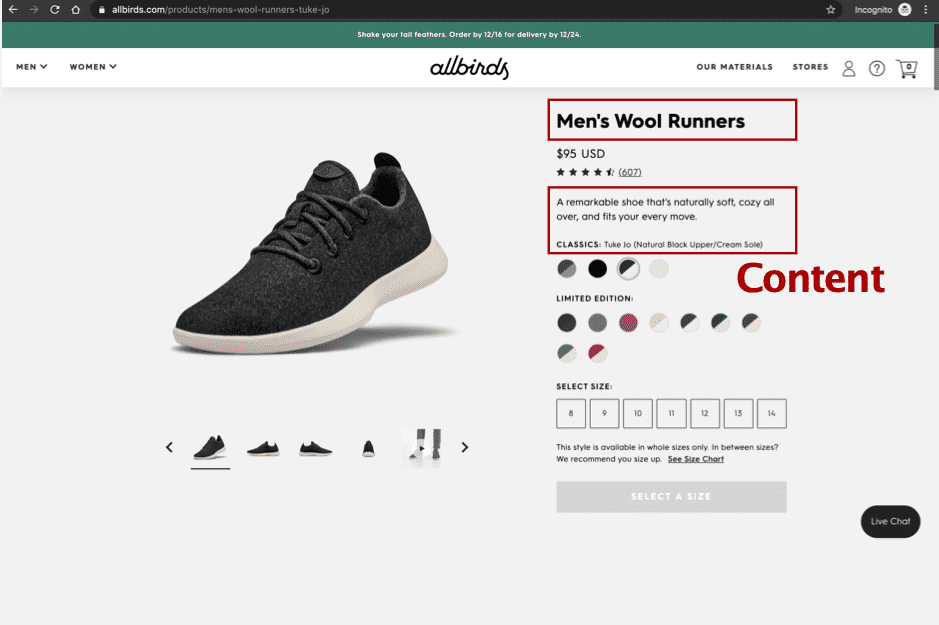
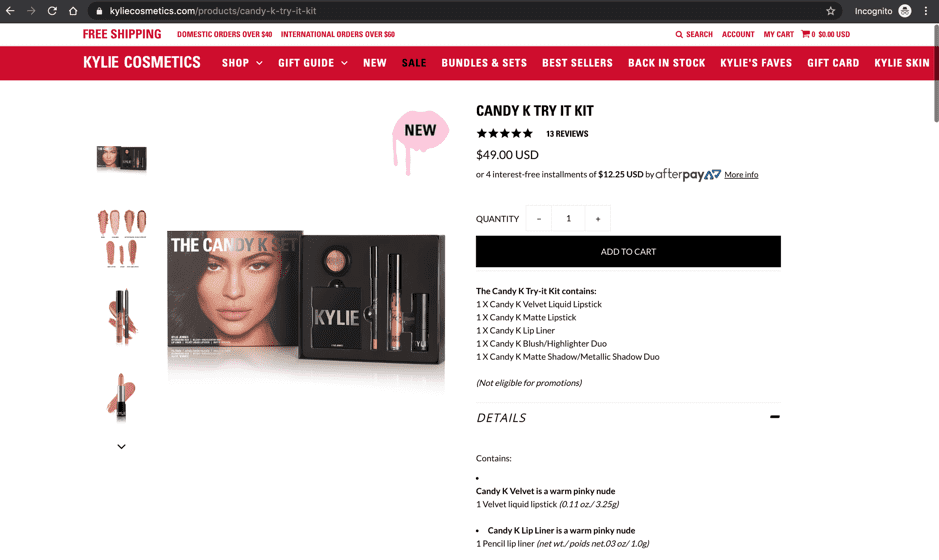
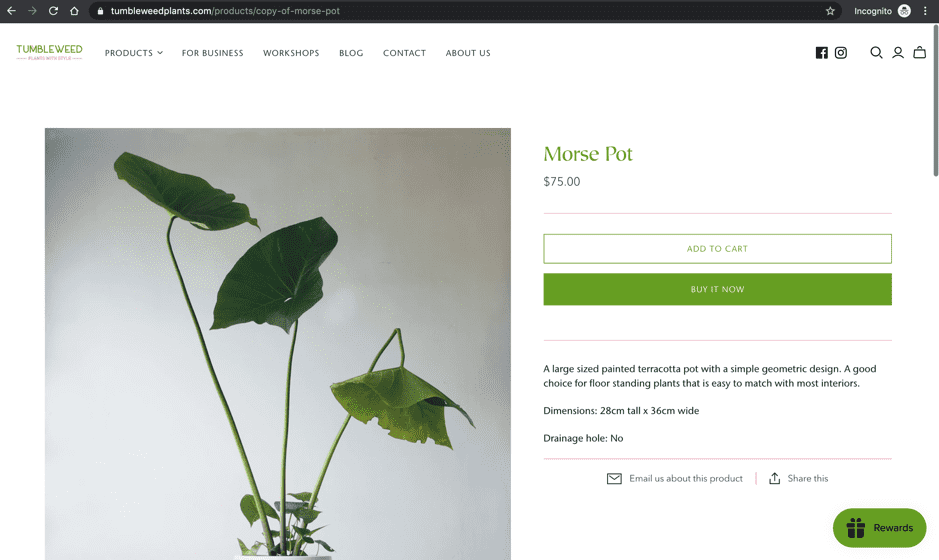
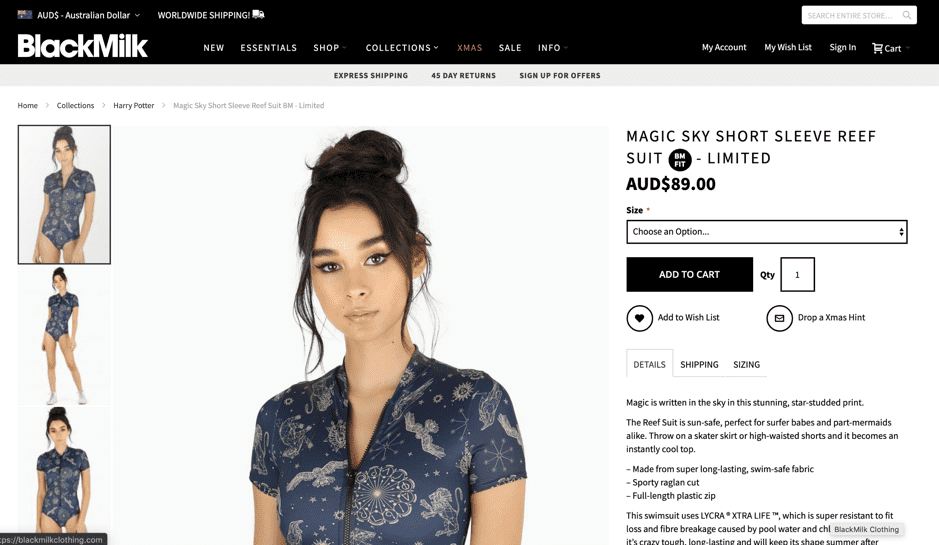
In general, when someone first arrives on the page, these are the questions to answer
- What is this?
- What are the benefits?
- How do I use or take care it?
Here are some example screenshots:
Head to the individual products in your Shopify portal to edit the description:
Headers
If you have never written in HTML (like most of the population), this might seem daunting at first.
Think of your page as a document in Microsoft word.
In Microsoft word, we have this bar

Basically, in HTML, this bar is represented as H1, H2, H3, H4, H5, H6.
H1 being the most important.
Google puts more emphasis on content in H1 than H6 and normal text.
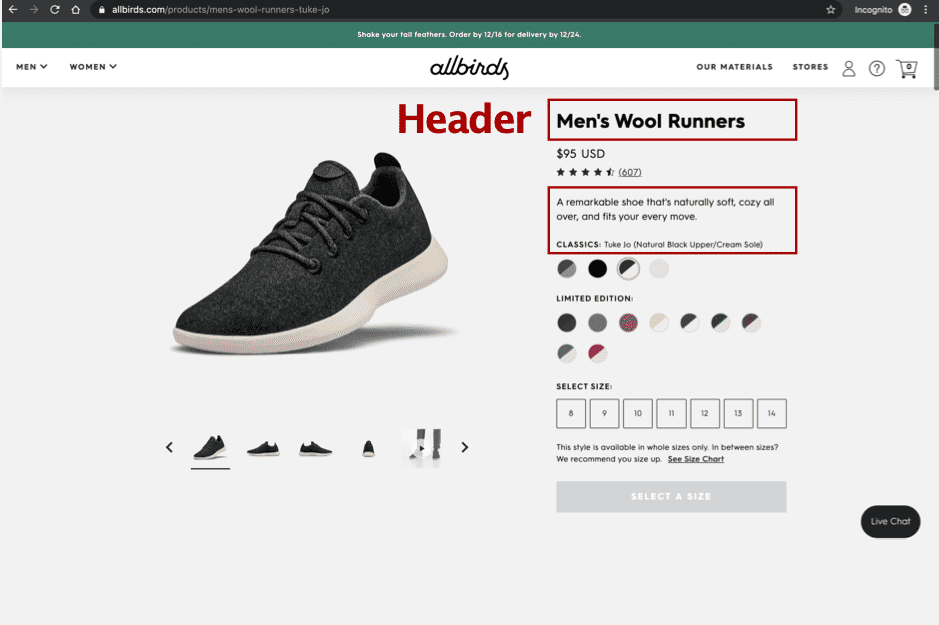
Make sure to include key phrases in H1.
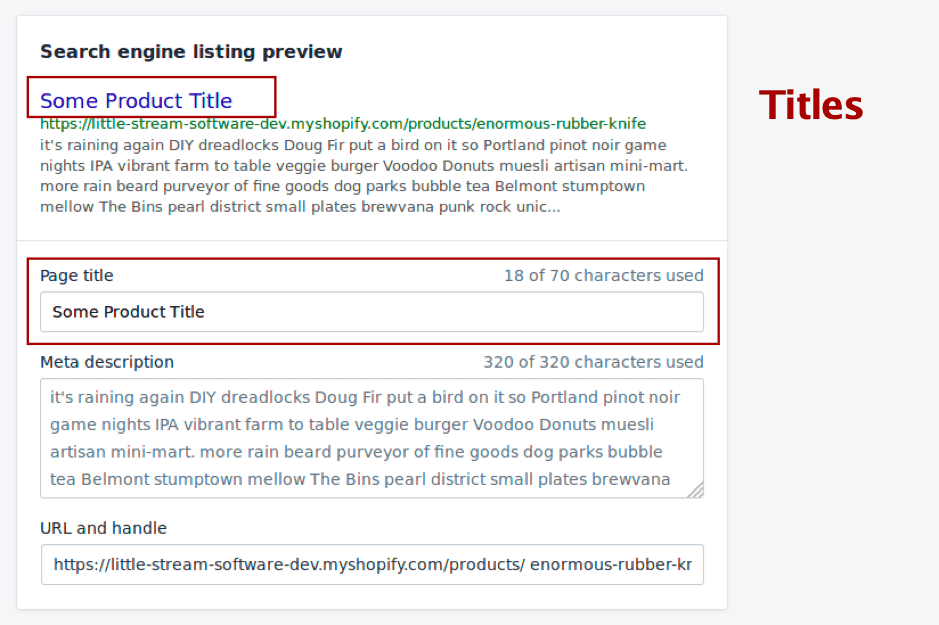
Titles
This component has the most impact of your click-through rates on Google.
Some best practices
- Keep it under 70 characters
- Include the keyword but don’t overdo it (e.g. 3x repeat)
- Don’t use all caps
- Steal/ Copy from others
Type the keyword you expect this product page to rank for on Google. Check out the top listings
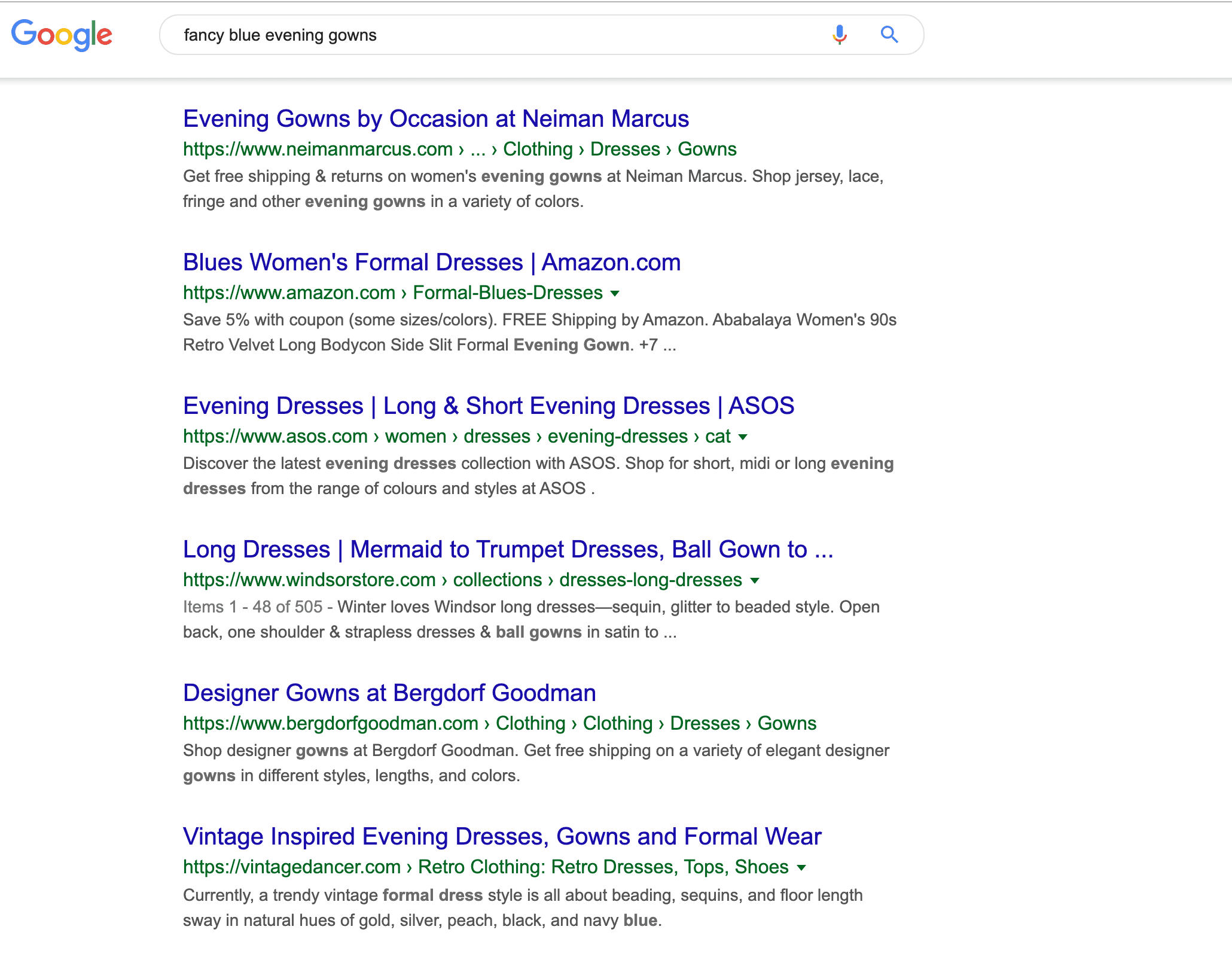
Try to mimic their copy to make it work for you.
Head over to the same product page in your Shopify Portal:
Meta Description
Meta descriptions are the short descriptions you see beneath the Titles in search results
Some best practices
- Keep it under 160 characters
- Include phrase that link to your keywords
- Use two simple complete sentences
- Steal/ Copy from others
Do the same thing as you did for above, type the keyword or phrase you expect this product page to rank for on Google. Check out the top listings
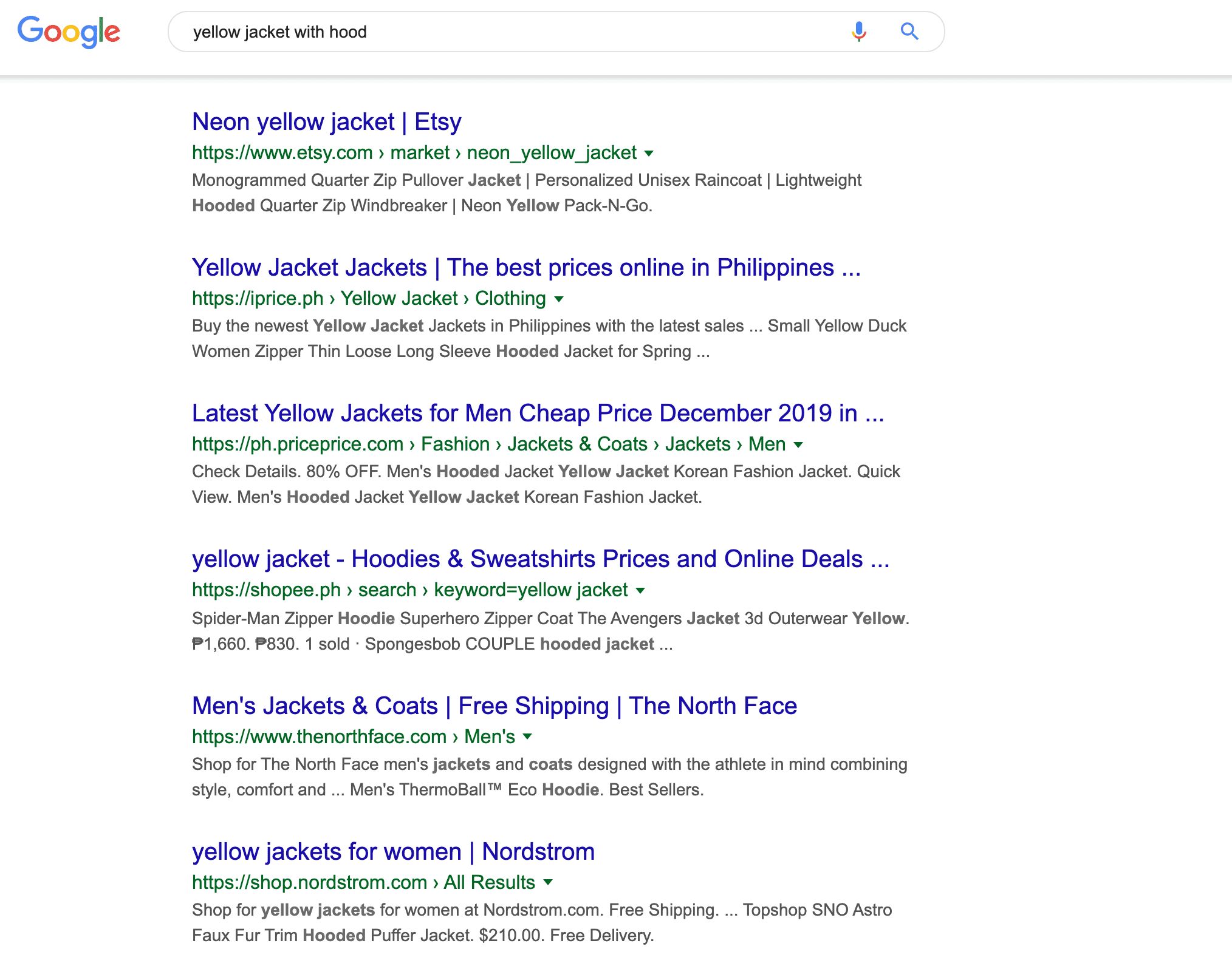
Try to mimic their copy to make it work for you.
You know the drill. Head over to your Shopify portal and navigate to the bottom of the product page
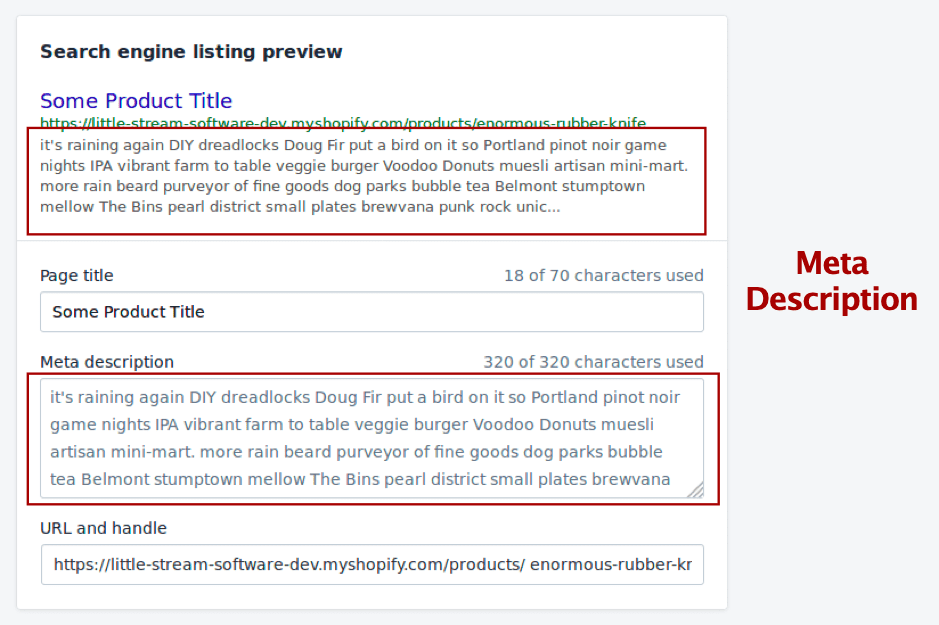
Image Alt Tags
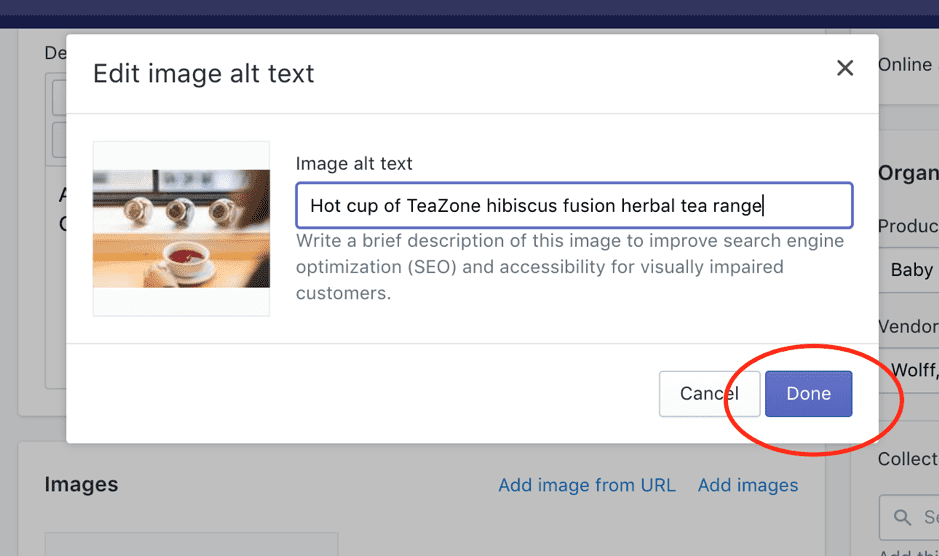
Perhaps the simplest optimisation on this page, image alt tags. By default, the image alt tags will be a random words and numbers.
Please change that.
Google monitors sites with proper alt tags because not only does it help inform the bots about what the page it about, it also helps them provide sites to those who might be visually impaired.
Head over to your Shopify portal and navigate to your product page to select the images you want to edit .
Bonus: Google Search Console
To dive into whether your shoppers are really finding what they are searching for, head over to your Google Search Console.
Head under performance
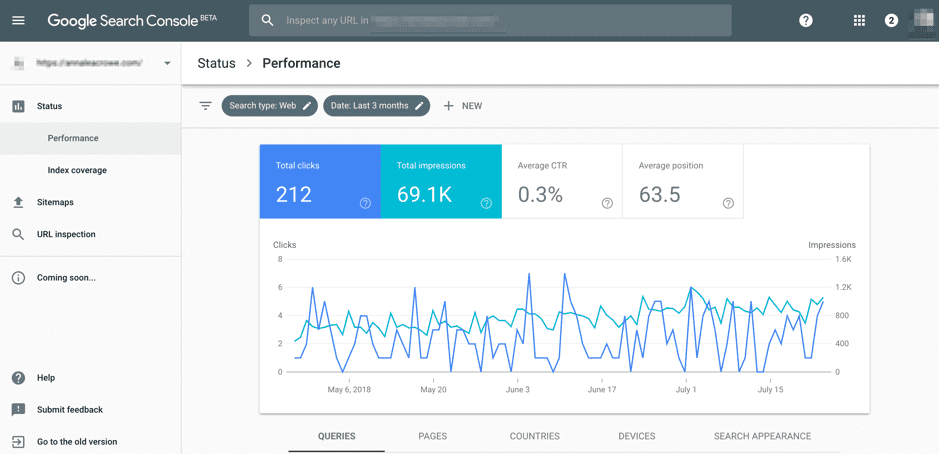
Filter to the specific product page you are inspecting and check the keywords click-through and impressions.
Click-through
Check the top 10 words that people are clicking through on. Are those keywords visible on your page?
If not, you should add them.
Impressions
These are lost opportunities because it means that your product page did rank in search BUT, your copy wasn’t interesting enough for them to click.
Head back to the section about Headers and Meta description to include some of the keywords mentioned in the search query.
Site Architecture
For most Shopify sites, Page URLs and Internal Links are taken care of automatically out of the box.
This section is mainly for those who have larger sites (>50 products) and might have screwed something up along the way.
Page URLs
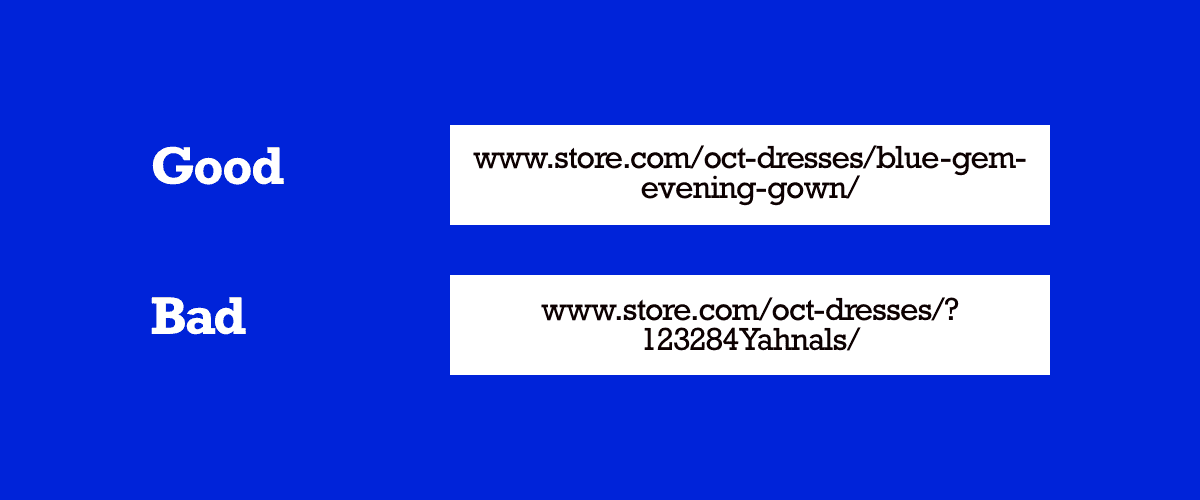
The bar for this is incredibly low.
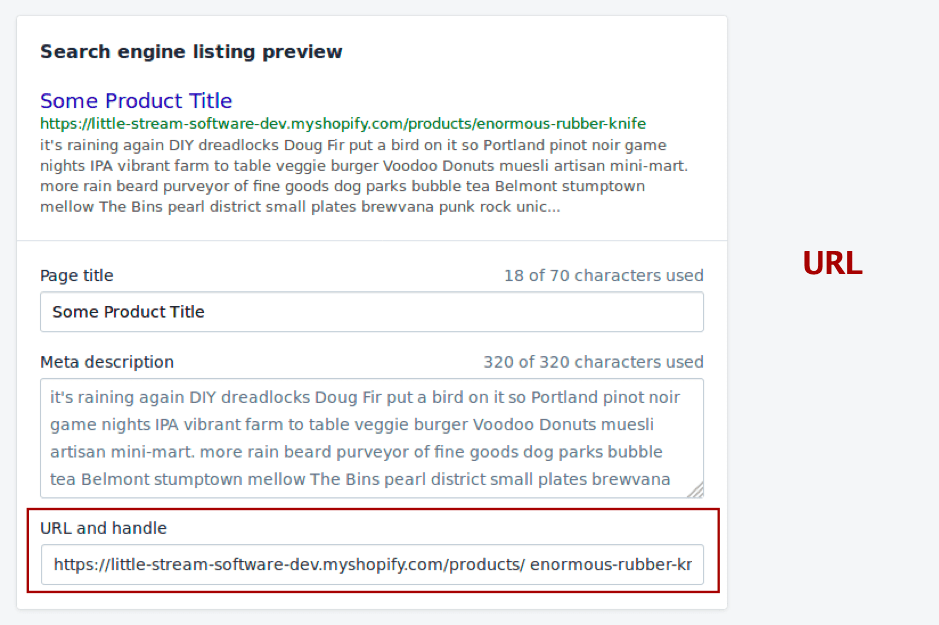
Just ensure that your page URL includes what the product page is actually meant to be displaying and it doesn’t look like a randomly generated text.
Same as before, head over to the SEO listing preview to change the URL handle
Internal Linking
This is somewhat more complicated depending on how you have structured your site.
What you are trying to optimise for is ease of navigation.
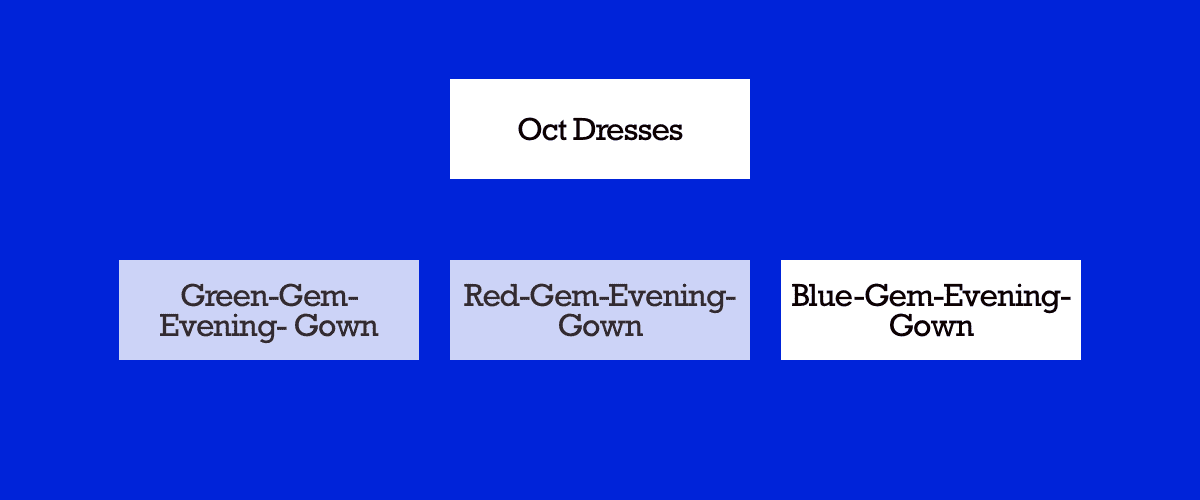
When a URL looks like this:

It tells Google and shoppers that “Blue-Gem-Evening-Gown is related to Oct- Dresses
Google will interpret it as
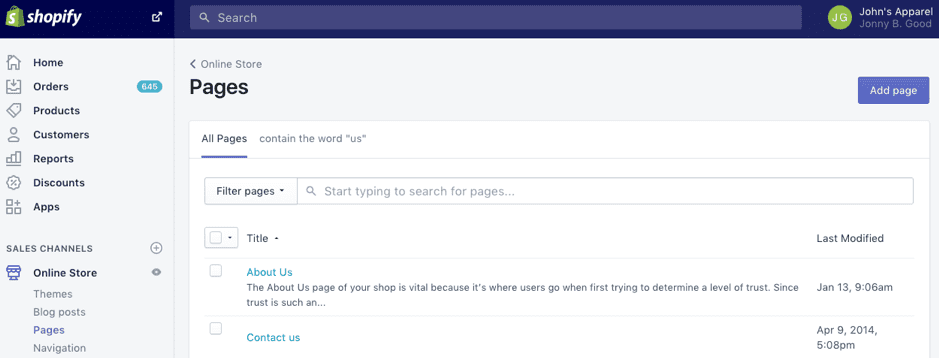
This will generally take a while to fix. You will need to check your pages section in your Shopify admin to see how your pages are being created.
Overall Site Optimisation
Every Shopify store comes with SSL and HTTPS out of the box unless you made some weird configuration so we are going to skip that section.
Mobile Responsiveness
For all of Shopify’s default themes, mobile responsiveness has already been taken care off.
This is only going to be a problem if you built a custom theme and didn’t think through all the mobile optimisations.
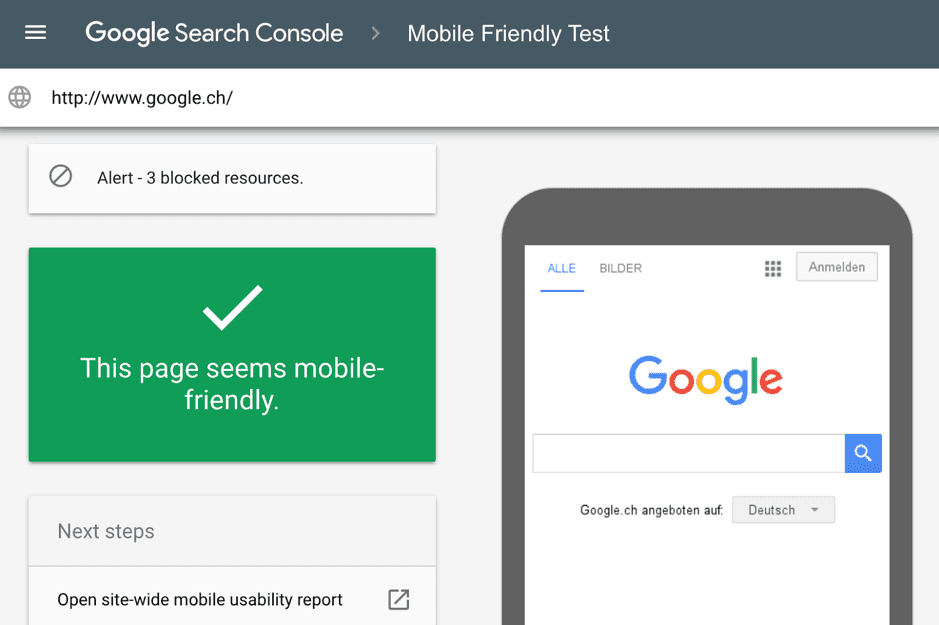
Head over to the Mobile-Friendly-Test to check.
Site Speed
Shopify is fast by default.
Your site is delivered to shoppers around the world on Shopify’s content delivery network (CDN).

There are two ways that you might have compromised this:
- Front-end App overload
- Custom Image CDN
Font-End App Overload
Apps that interact with the front-end are tricky because although they might drive email captures and sales, there can be too much of a good thing.
Consider limiting these apps to 1-2 a page and setting them to inactive when shoppers are interacting with you store on mobile.
Most apps delete their code injection once you delete your app and according to Shopify, they monitor this on your behalf.
Custom Image CDN
For some stores, rather than uploading images directly to Shopify, they’ve opted to use a separate CDN to deliver their images.
If you know what you are doing, this could actually improve your site speed. If not, this would just be an expensive investment.
Google Page Speed Insight
Google provides a free service that allows you to check on which part of your site is slowing down the load time.
You should run your store against this lab test to see what needs fixing.
If you want to benchmark your store against 500 others, check out this research.
Other topics
What is the difference between On-page and Off-page SEO?
Some of you might still be wondering what are the differences between on-page and off-page SEO.
Off-page SEO focuses on factors outside your site that aids in search rankings. Some examples include the quantity and quality of backlinks, branded search queries, and social mentions.
Conclusion
For Shopify merchants, you have most of the site configurations don’t automatically for you. You will only need to dive into more complex configurations should you try to add lots of customisations to your store.
The bulk of the work that you will be investing in will be for On-page SEO for your product pages.
Unfortunately, this isn’t a one and done optimisation.
You will have to check in once every couple of months on Google Search console to see if the changes you previously did made any difference to keywords, click-throughs & impressions.
If you need a tool that does the monitoring for you, Product Lens (product marketing platform) can help.
Tags
Learn more about strategies & tactics from the
product marketing perspective
Delivered once a week to your inbox