Google Search Console (Shopify Set-Up)
After you are done setting up Enhanced E-commerce in your Google Analytics, its time to take advantage of another free tool offered by Google: Google Search Console.
PS: If you haven't set-up Enhanced E-commerce in Google Analytics, check it out here.
--
Step 1: Create GSC Account
Head over to the GSC portal. (Use your Google Analytics email so that it will be easier to manage your logins)
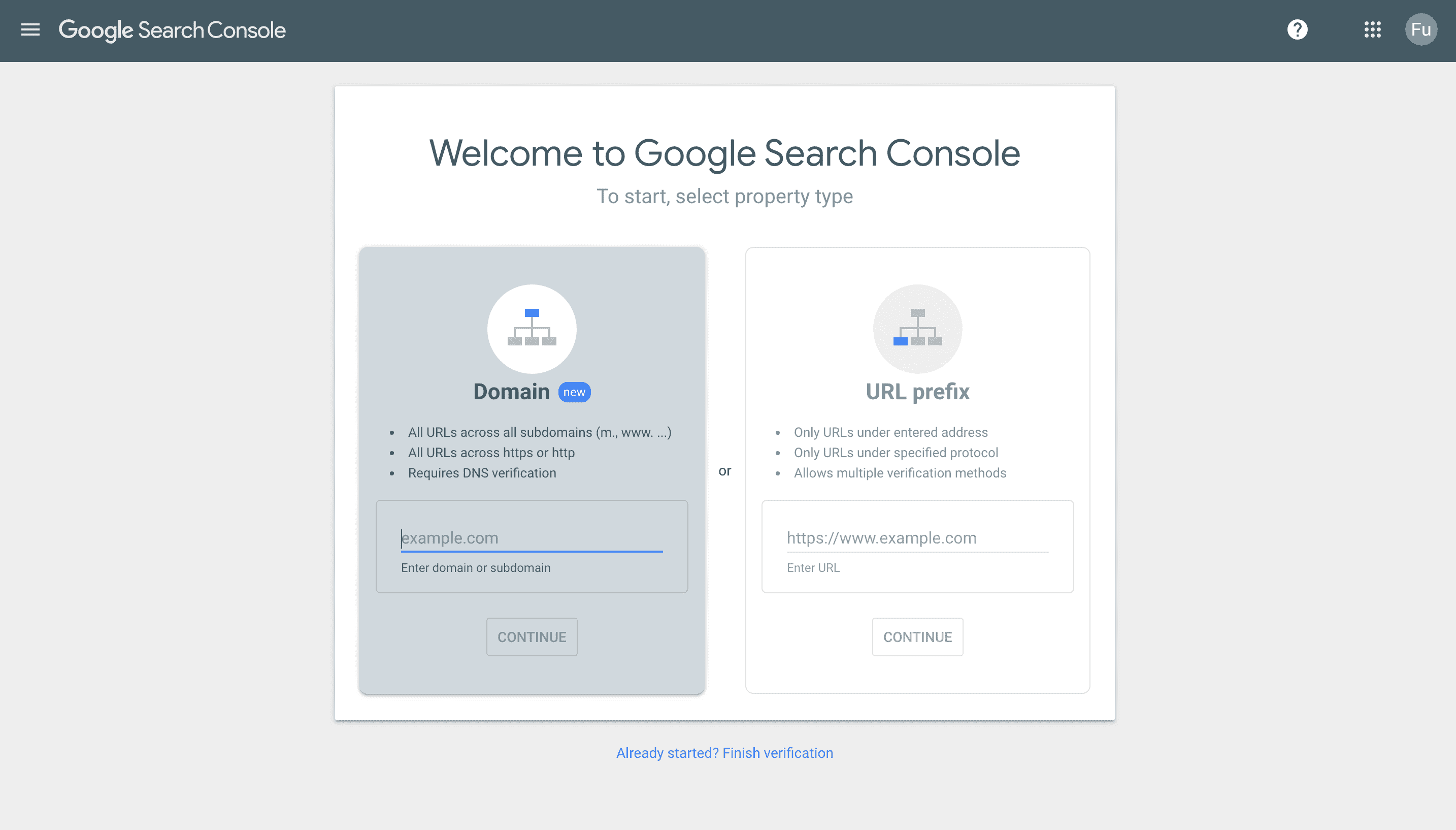
Step 2: Create GSC Property (Domain)
Key in your domain (on the right) and click continue.
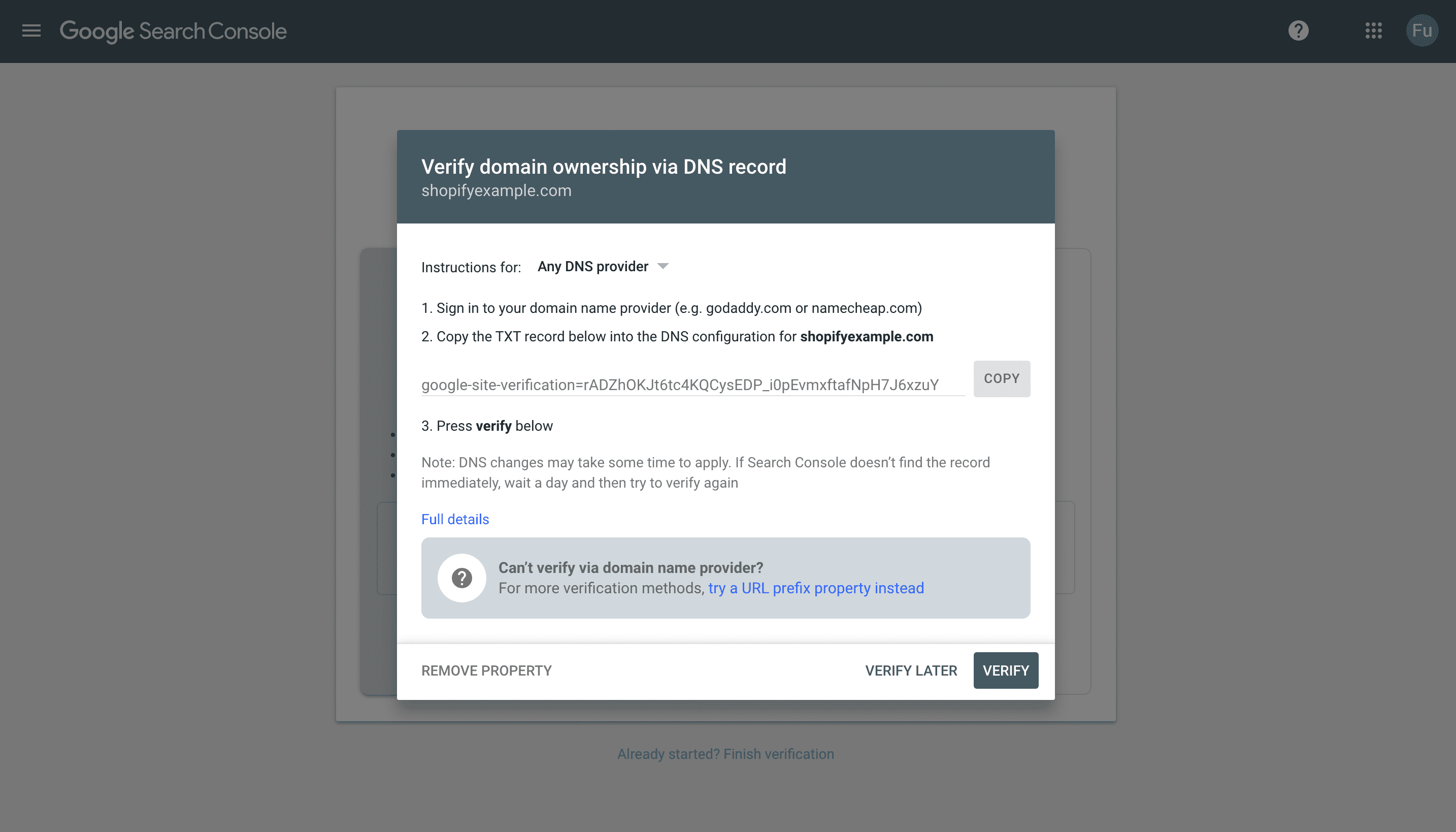
You should see this screen
Step 3: Shopify Portal, TXT File
Head back to your Shopify Portal. Go under Online Store > Domains.
Select "Manage"
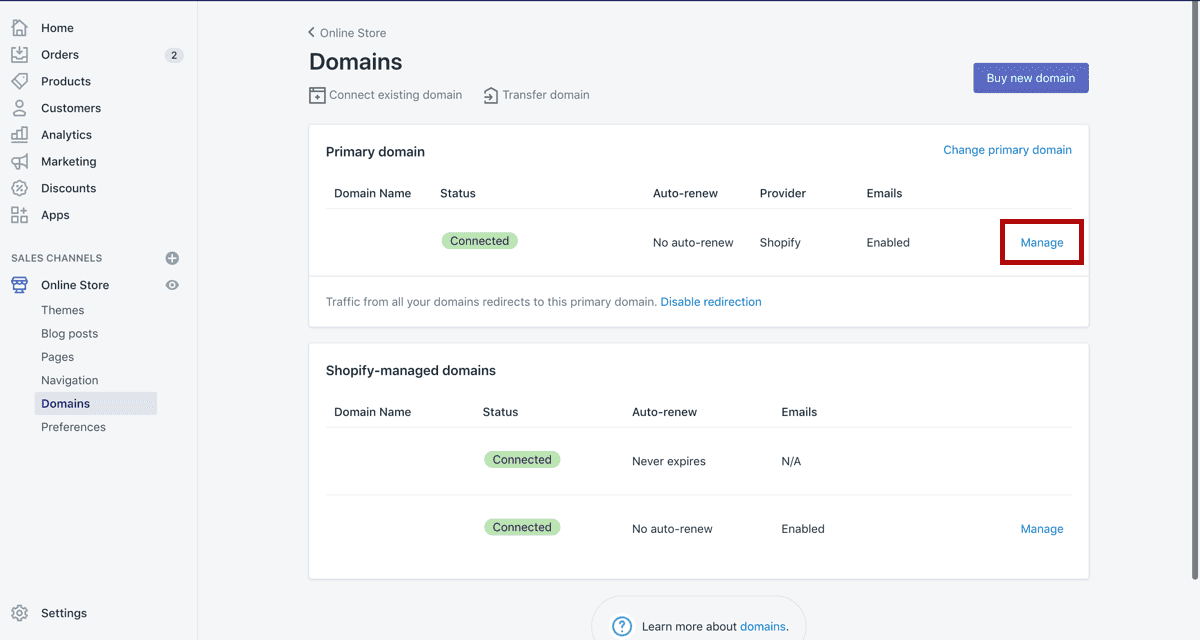
Select "DNS Settings"
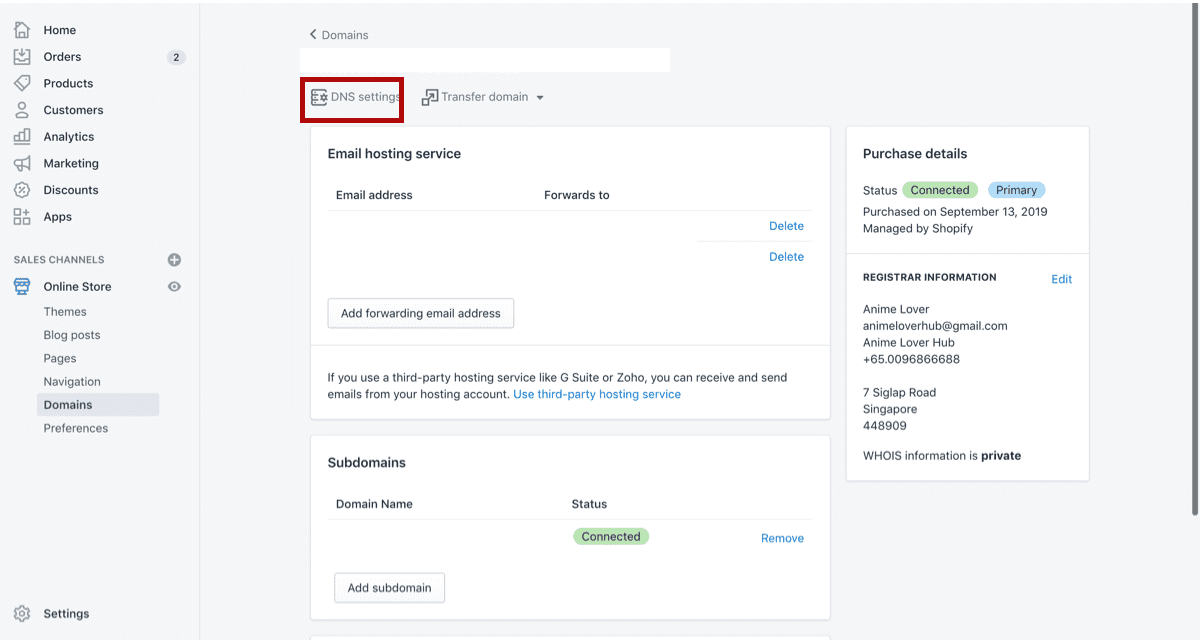
Add a Custom Record > TXT Record
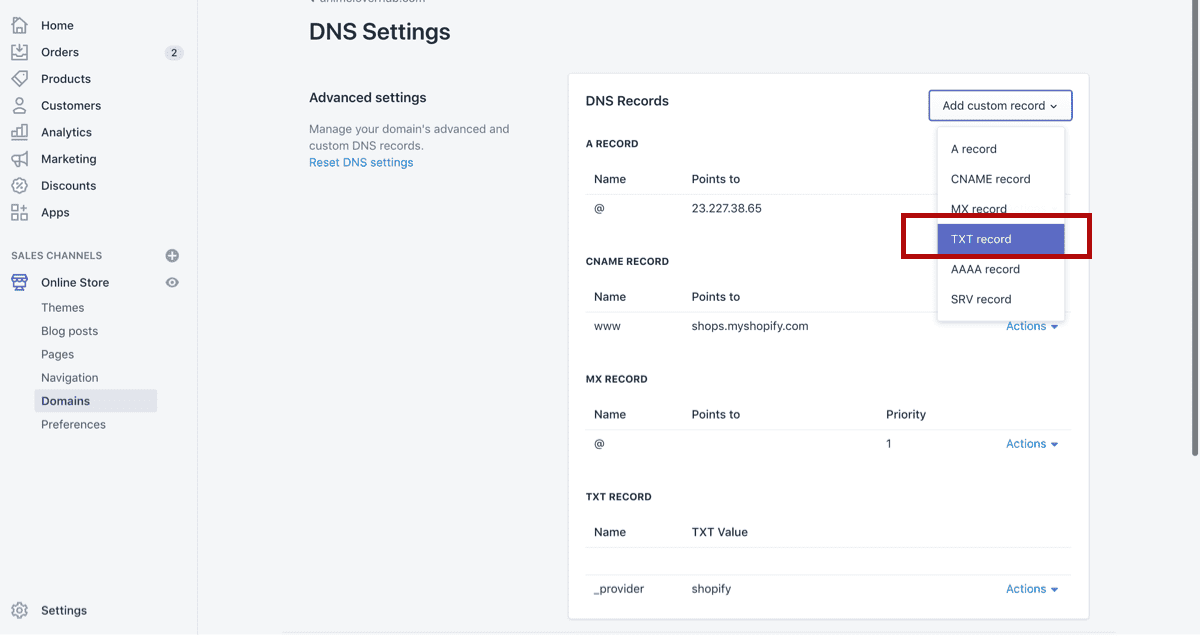
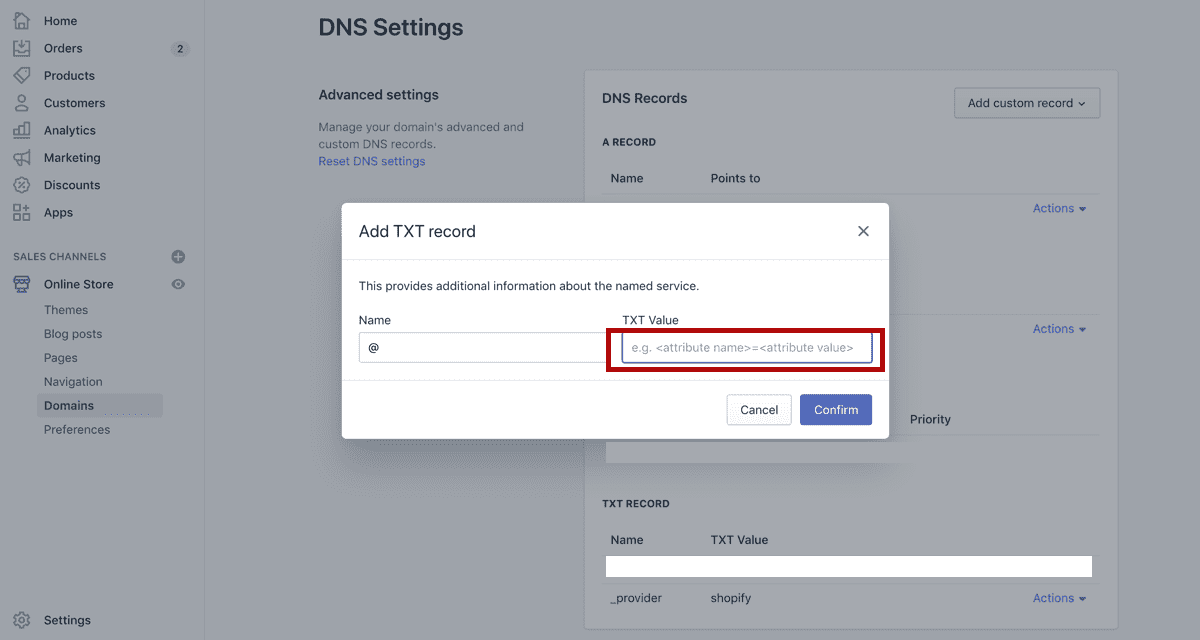
Enter "@" as the Name. Head back to the Google Search Console to get the TXT Record and paste it in.
Step 4: Wait
It will take a few hours to verify. Grab a coffee or Read more post :)
Tags
Learn more about strategies & tactics from the
product marketing perspective
Delivered once a week to your inbox